The condition of gaming gear affects comfort, speed, and even health. Dust can trap heat in a console, oils can reduce mouse accuracy, and grime can shorten the life of keys and sticks. Regular cleaning also limits allergens and keeps shared setups safer. This guide offers ten clear steps that use common tools and safe methods for most gaming devices.
Step 1: Prepare a clean, safe workspace
Choose a flat surface with good light. Wash and dry your hands first to avoid adding oils. Gather supplies: microfiber cloths, cotton swabs, soft brush, compressed air, isopropyl alcohol (70% is usually enough), mild dish soap, and a small bowl of water. If you use alcohol, keep the area ventilated and away from flames.
Step 2: Power down and unplug everything
Turn off the PC, console, monitor, and any charging docks. Unplug power cables and remove batteries from controllers when possible. This reduces shock risk and prevents short circuits. It also stops fans from pulling dust deeper into vents while you clean.
Step 3: Do a dry dust removal first
Start with dry methods before using any liquid. Use a soft brush to loosen dust from surfaces and seams. Then use compressed air in short bursts to push dust out of ports and crevices. Hold the can upright and keep a small distance to avoid moisture spray.
Step 4: Clean the keyboard with a top-down method
Tip the keyboard gently and tap the back to release debris. Brush between keys, then use compressed air at an angle. Wipe key tops with a microfiber cloth lightly dampened with water or a small amount of alcohol. Avoid soaking the cloth. If the keyboard has removable keycaps, remove only if you can reinstall them correctly.
Step 5: Disinfect high-touch areas with care
High-touch points include WASD keys, the spacebar, mouse buttons, controller grips, and headset controls. Use isopropyl alcohol on a cloth or cotton swab, not poured directly on the device. Alcohol evaporates fast and helps reduce microbes. Do not use bleach, strong solvents, or abrasive pads, which can damage coatings.
Step 6: Clean the mouse for better tracking
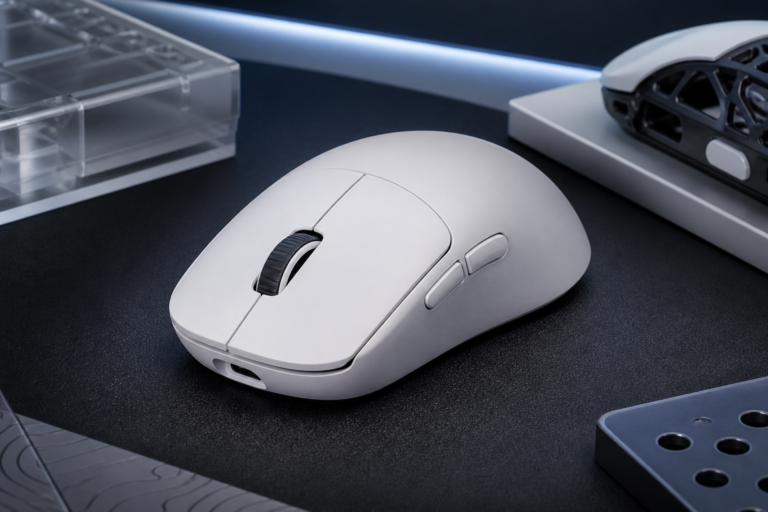
Wipe the mouse shell with a slightly damp microfiber cloth, then dry it. Clean the sensor area gently with a dry swab. If your mouse has skates, remove any hair or grit around their edges. For scroll wheels, use a soft brush and minimal air bursts to clear trapped dust without forcing it inside.
Step 7: Refresh the mouse pad or desk mat
For cloth pads, shake them outdoors or over a bin, then vacuum on a low setting if available. Hand wash with mild soap and cool water, rubbing lightly with your fingers. Rinse well and press in a towel to remove water. Let it air dry fully before use. For hard pads, wipe with a damp cloth and dry at once.
Step 8: Clean controllers without flooding seams
Use a dry brush around buttons and triggers. Then use a swab with a small amount of alcohol to clean around the edges of sticks, D-pads, and face buttons. Wipe grips and the back shell with a damp cloth and dry it. If sticks feel sticky, clean the surface first and test again before considering any disassembly.
Step 9: Maintain headsets and earbuds for hygiene
Remove ear pads if the model allows it. Many pads can be wiped with a cloth dampened with mild soap and water, then dried. For fabric pads, blot rather than soak. Clean the headband and microphone boom with alcohol on a cloth. For earbuds, wipe the outer shell and gently clean the mesh with a dry soft brush to protect sound quality.
Step 10: Clean screens, vents, and consoles the safe way
For monitors and handheld screens, use a dry microfiber cloth first. If needed, slightly dampen the cloth with water; avoid spraying the screen. For console or PC vents, use a brush and compressed air to remove surface dust. Do not open a device unless you know the warranty rules and the correct procedure. After cleaning, let all items dry, reconnect cables, and confirm that fans and buttons work as expected.
Consistent care is easier than occasional deep cleaning. A quick weekly dust and wipe routine can prevent buildup and protect performance. Over time, clean gear feels better to use, lasts longer, and supports a healthier gaming space.
Disclaimer: This page contains links that are part of different affiliate programs. If you click and purchase anything through those links, I may earn a small commission at no extra cost to you. Click here for more information.