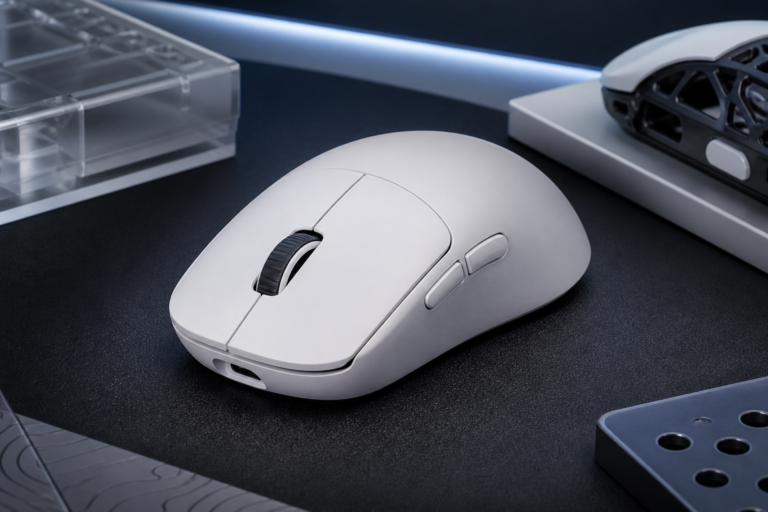

The gaming world moves very fast. Tech brands always try to make better tools for players. One of the new brands is MCHOSE. They have a new mouse called the G3 Ultra. This mouse aims to give high speed for a low price. It uses the best parts found in expensive mice. It also has a very light build. This article looks at the specs of the MCHOSE G3 Ultra. We will see how it works in real games. We will also look at the shape and the feel of the mouse. This review helps you decide if this tool is right for your desk. It focuses on facts and data. We want to see if the high speed really helps you play better. Many people want a mouse that is both light and strong. The G3 Ultra tries to fill this gap in the market. It competes with very big names. This study will show where it wins and where it might fail.
Design and Physical Build Quality
Check the availability and price in the link below
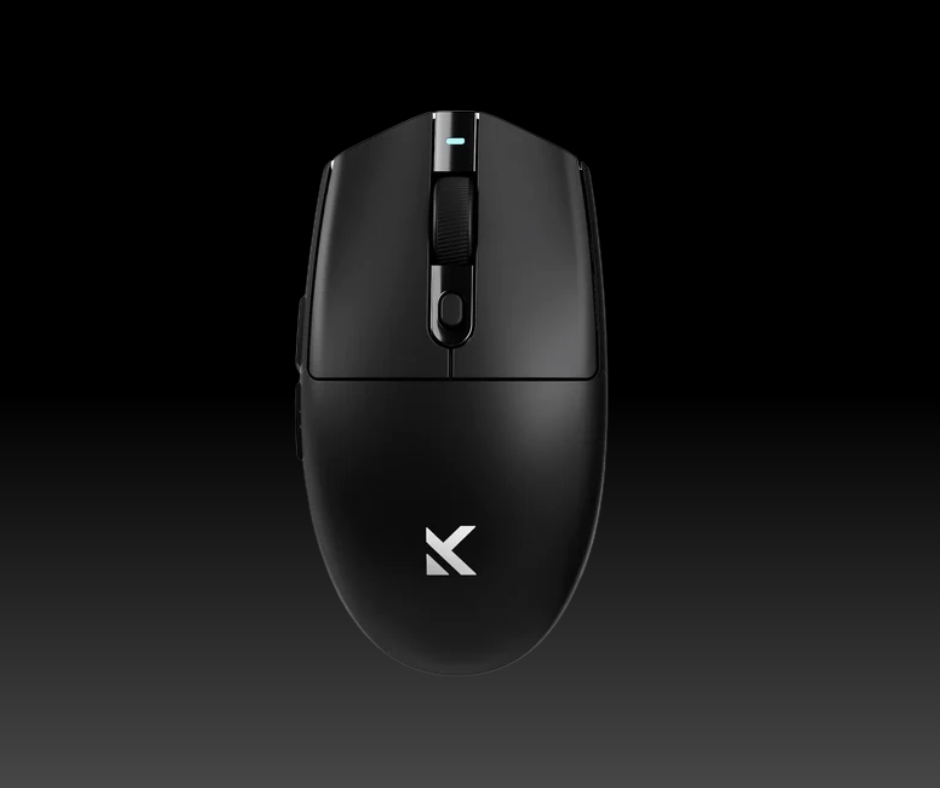
The first thing to notice is the shape of the mouse. It is a symmetrical mouse. This means both sides look the same. It is a very safe shape for most hands. Many people compare it to famous mice like the Logitech G Pro. The G3 Ultra feels very solid in the hand. It does not creak when you squeeze it. This shows good build quality. The plastic has a matte finish. This helps you grip the mouse even if your hands get sweaty. The mouse is very light. It weighs about 63 grams. This low weight is great for long gaming sessions. It reduces the strain on your wrist. You can move it across the pad with very little force. This is very important for fast games. The feet of the mouse are made of pure PTFE. This material is very slick. It allows the mouse to glide smoothly. There is no friction to slow you down. The design is simple but clean. It does not have too many flashy lights. This makes it look professional. It can fit in an office or a gaming room. The buttons are easy to reach. The scroll wheel has a nice texture. It does not slip under your finger. Overall, the physical build is impressive for the price point.
Ergonomics and Hand Comfort
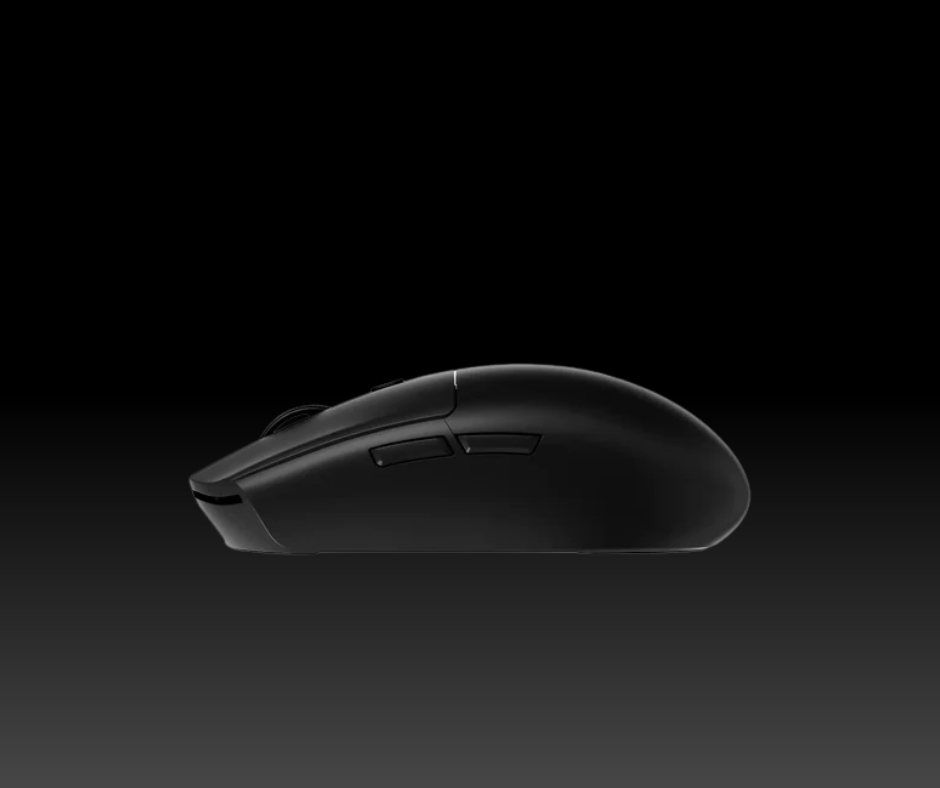
Comfort is a key part of any mouse. The G3 Ultra works well for many grip styles. If you use a claw grip, your hand will feel natural. The hump in the middle supports the palm well. People with small or medium hands will find it very easy to use. Those with very large hands might find it a bit small. But the shape is designed to be versatile. The side buttons are placed well. You do not have to move your thumb far to click them. This saves time during a match. The coating on the shell feels premium. It is soft but provides enough friction. It does not pick up many fingerprints. This keeps the mouse looking new for a long time. The weight balance is also very good. The mouse does not tip forward or back when you lift it. This balance helps with accuracy. You can make small moves without the mouse tilting. The ergonomic design shows that MCHOSE studied how people hold their mice. It is a very comfortable tool for daily use.
Technical Specifications and Sensor
The heart of a gaming mouse is its sensor. The MCHOSE G3 Ultra uses the PixArt PAW3395. This is a top-tier sensor. It is known for being very accurate. It can go up to 26,000 DPI. DPI stands for dots per inch. A high DPI means the cursor moves more for every inch you move the mouse. Most players do not use the full 26,000. But having a high ceiling means the sensor is very sensitive. It can track movement at 650 inches per second. This is faster than any human can move. The sensor also has zero hardware acceleration. This means your hand move is the same as the move on the screen. It is very consistent. The G3 Ultra also features a high polling rate. It can go up to 8,000Hz. Most mice only go up to 1,000Hz. A higher polling rate means the mouse sends data to the PC more often. At 8,000Hz, it sends data every 0.125 milliseconds. This makes the movement feel very smooth. It reduces input lag. You will see the results on a high-refresh-rate monitor. The clicks will feel more instant. This tech is becoming a new standard for pro gaming. MCHOSE including it here is a big deal.
Switches and Tactile Response
The buttons use high-quality switches. These are often from brands like Omron or Huano. They are rated for millions of clicks. The G3 Ultra has a very crisp click feel. There is not much pre-travel. This means the button moves very little before it clicks. There is also very little post-travel. This makes the buttons feel fast and responsive. You can tap them very quickly in games. The side buttons also feel firm. They do not feel mushy or soft. The scroll wheel uses a high-end encoder. Each step of the wheel is clear. You can feel every notch as you scroll. This is great for switching weapons in a game. You will not over-scroll by mistake. The click of the scroll wheel is also firm. It requires just the right amount of force. All these small parts work together. They make the mouse feel like a high-end tool. The switch tech ensures that the mouse will last for a long time.
Connectivity and Battery Performance
The G3 Ultra is a wireless mouse. It uses 2.4GHz wireless tech. This is very fast and has no lag. It feels just like a wired mouse. You do not have to worry about a cord pulling on your desk. This gives you more freedom of movement. It also supports Bluetooth. This is useful for saving battery when you are not gaming. You can switch between modes with a small button on the bottom. The battery life is quite good. In 1,000Hz mode, it can last for many days. If you use the 8,000Hz mode, the battery drains faster. This is because the mouse works much harder. It is easy to charge the mouse. You just plug in the USB-C cable. The cable is also very soft. If you need to play while charging, the cable does not get in the way. The wireless range is strong. You can use it several feet away from the PC without any drops. The connection is stable even in rooms with many other devices. This reliability is vital for competitive play. You do not want your mouse to stop working in a big moment.
Software and Customization
MCHOSE provides software for the G3 Ultra call the M HUB. You can download it from their site. The software lets you change many things. You can set your DPI levels. You can change the polling rate. You can also change what the buttons do. The interface is simple and easy to use. It does not take much space on your PC. You can save your settings directly to the mouse. This is called on-board memory. This means you can take the mouse to another PC and it will remember your settings. You do not have to install the software again. This is a great feature for people who go to tournaments. The software also shows you the battery level. This helps you know when to plug it in. You can also adjust the lift-off distance. This is how high you can lift the mouse before it stops tracking. Low lift-off distance is usually better for gaming. It stops the cursor from moving when you reset the mouse on the pad.
Performance Assessment
In games, the G3 Ultra performs very well. The PAW3395 sensor is flawless. There is minimal jittering. Even on different mouse pads, it tracks well enough. In fast games like shooters, the low weight is a huge help. You can flick to targets very quickly. The 8,000Hz polling rate makes a small but real difference. The aim feels a bit more “connected” to your hand. It is very hard to go back to a slow mouse after this. The clicks are loud and clear. You always know when you have pressed a button. The mouse stays cool in your hand. The feet stay slick and do not wear down fast. For the price, the performance is top-tier. It matches mice that cost twice as much. There are very few flaws in how it works. It is a very reliable tool for any player.
Conclusion
The MCHOSE G3 Ultra is a very strong contender. It offers high-end specs in a light and simple shell. The PAW3395 sensor is the best you can get right now. The 8,000Hz polling rate is a great bonus for pro players. The build quality is high, and the weight is very low. It is a comfortable mouse that works for many people. While MCHOSE is a newer name, they have made a great product here. It is perfect for anyone who wants a pro mouse without a pro price. The battery life is fair, and the software is helpful. It proves that you do not need to spend a lot to get the best tech. This mouse is a smart choice for gamers today.
Check the availability and price in the link below
Disclaimer: This page contains links that are part of different affiliate programs. If you click and purchase anything through those links, I may earn a small commission at no extra cost to you. Click here for more information.