
When it comes to unconventional pointing devices, the Logitech MX ERGO stands out as one of the most polished trackball mice on the market. While traditional mice dominate desks worldwide, trackballs offer a unique experience—especially for those with limited desk space or wrist discomfort.
Ergonomic Design & Build Quality
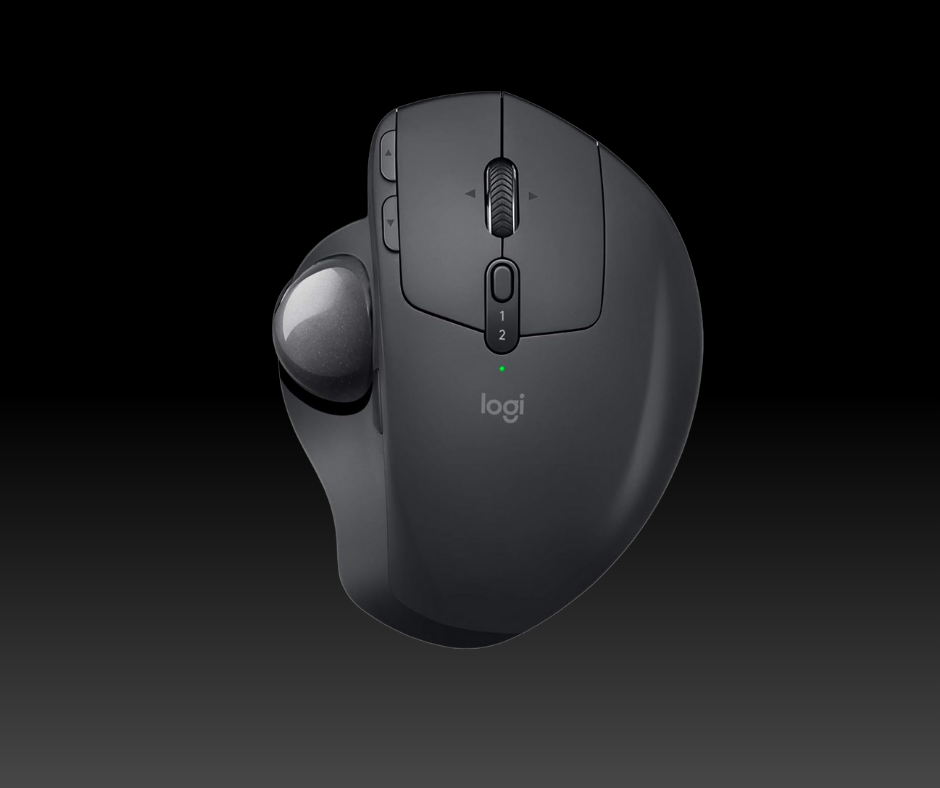
The MX ERGO is all about comfort and posture. Unlike standard mice, this device doesn’t move across the desk; instead, you guide a trackball with your thumb while your hand rests naturally on the body. Logitech designed it with a right-handed ergonomic shape, positioned somewhere between a traditional flat grip and a more relaxed handshake style.
One of its standout features is the adjustable metal tilt plate, which lets you angle the mouse between 0° and 20°. This simple change reduces wrist strain and makes long sessions easier on your joints. The materials feel premium, and the mouse carries Logitech’s reputation for durable build quality. However, some users note that the rubber coating can wear out over time, especially with heavy daily use. Still, compared to cheaper models, the MX ERGO feels solid and purpose-built for professionals and enthusiasts alike.
Connectivity, Battery, and Controls
Flexibility is another area where the MX ERGO shines. It supports dual wireless connectivity—you can use Logitech’s Unifying USB receiver or connect directly via Bluetooth. Even better, the mouse allows pairing with two devices simultaneously, so you can switch between, say, a laptop and a desktop at the press of a button.
Battery life is excellent, lasting up to four months on a single charge. This makes it ideal for long-term work setups without constant recharging. The scroll wheel adds extra functionality with tilt inputs for horizontal navigation, though it lacks Logitech’s famous “hyper-fast scroll” mode found in the MX Master series.
Customization is handled through Logitech’s Options software, where you can program buttons to fit your workflow. The only real limitation is the lack of an adjustable polling rate, meaning gamers and high-resolution power users might find it less precise compared to traditional gaming mice.
Performance: Productivity vs Gaming
When it comes to performance, the MX ERGO firmly belongs in the productivity camp. It is excellent for office and multimedia tasks but average for gaming. It’s well-suited for spreadsheets, design tools, and web browsing. However, its FPS gaming, its slower polling rates and less agility make it unsuitable for competitive shooters.
In other words, this isn’t the mouse for headshots in Valorant or fast APM in StarCraft. But if your daily routine involves switching between documents, coding, creative apps, and occasional light gaming, the MX ERGO delivers a smooth and consistent experience.
User Impressions: Praise and Criticism
Like any specialized device, the MX ERGO divides opinions. Many users love its comfort, sturdiness, and long-term wrist benefits. Some even claim it’s the only mouse they can use comfortably for hours without pain. Those with larger hands especially appreciate its size and weight.
On the flip side, critics argue that it’s overpriced for what it offers. Complaints include the scratchy feel of the trackball, low DPI compared to gaming mice, and occasional stability issues with the tilt mechanism. Some even prefer cheaper models like the M575, which deliver a similar experience at half the cost.
In short, whether the MX ERGO feels like a luxury upgrade or an unnecessary splurge depends on your expectations and usage style.
Who Should Buy the MX ERGO?
The Logitech MX ERGO is not for everyone, but for the right user, it’s a game-changer. If you’re a professional, creative, or multitasker looking for ergonomic comfort, multi-device connectivity, and a durable build, this trackball mouse is one of the best investments you can make. It’s particularly valuable for those with limited desk space or wrist strain issues, where a traditional mouse just doesn’t cut it.
However, if you’re a hardcore gamer, or if you want the productivity extras of the MX Master series, this might not be your best fit. Likewise, if you’re budget-conscious, the ERGO M575 offers a cheaper entry point into trackballs.
In the end, the Logitech MX ERGO is a specialized, premium tool that shines for productivity and ergonomics. It may not replace your gaming mouse, but for everyday work, it’s one of the most comfortable and reliable trackballs available today.
Check the availability and price in the links below
Disclaimer: This page contains links that are part of different affiliate programs. If you click and purchase anything through those links, I may earn a small commission at no extra cost to you. Click here for more information.
