
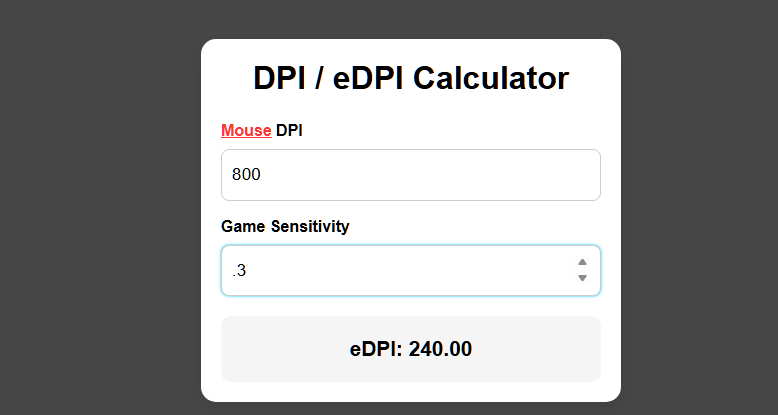
DPI / eDPI Calculator
DPI vs eDPI
If you’ve ever tried to adjust your aim in Valorant, CS2, Apex Legends, or any FPS game, you’ve probably heard the terms DPI and eDPI. Most players tweak them without actually understanding what they do—and end up with inconsistent aim from game to game.
This guide explains exactly what DPI and eDPI are, how they affect your gameplay, and how to find the perfect sensitivity using our DPI/eDPI Calculator.
What Is DPI?
DPI (Dots Per Inch) is a hardware setting on your mouse that controls how far the cursor moves on your screen relative to physical movement.
- Higher DPI = cursor moves farther with small mouse movement
- Lower DPI = more physical movement needed for the same cursor travel
Most gaming mice have multiple DPI levels like 400, 800, 1600, and 3200.
Why DPI Matters
- Affects precision
- Affects micro-adjustments
- Affects speed of flicks
- Consistency between games and devices
Pro players tend to use low DPI (400–800) because it provides better control.
What Is Sensitivity?
Your in-game sensitivity tells the game how your mouse movement translates to camera movement. Each game has different scaling, which is why the same sensitivity feels completely different across titles.
What Is eDPI?
eDPI (effective DPI) is the combined value of:
Mouse DPI × In-game sensitivity
This creates a standardized “universal sensitivity number” that you can compare across games or players.
Why eDPI is important
- Lets you match pro player aim settings
- Helps create consistent aim across different games
- Makes switching mice or PCs easier
- Gives a clear metric to understand how fast your aim really is
Example:
- DPI = 800
- Sensitivity = 0.5
- eDPI = 800 × 0.5 = 400
Two players with different DPI and sensitivity can still have the exact same eDPI and therefore the same overall aiming feel.
Why Pros Use Low eDPI
Benefits of low eDPI
- More precise crosshair control
- Smoother tracking
- Easier micro-corrections
- Less shaky aim under pressure
Downsides of low eDPI
- Requires more arm movement
- Needs a larger mousepad
This is why pros have huge pads and use their whole arm, not just their wrist.
How to Find Your Ideal eDPI
Here’s a simple rule:
If your aim feels shaky → lower your eDPI
If your aim feels too slow → raise your eDPI
Most players fall into these ranges:
| Playstyle | eDPI Range |
|---|---|
| Wrist aimers | 400–800 |
| Balanced aim | 300–500 |
| Arm aimers / low sens | 200–350 |
| Tactical shooters (Valorant/CS2) | 200–400 |
| Hero shooters (Overwatch/Apex) | 300–800 |
Your perfect eDPI depends on your pad size, arm reach, and preference—but once you find it, your aim becomes dramatically more consistent.
Final Tips for Perfect Aim
- Start with a low eDPI (200–400) and adjust upward if too slow
- Keep your eDPI consistent across games
- Use a large mousepad if you prefer lower sensitivity
- Don’t constantly change your sensitivity—your muscle memory needs time
Once you find your ideal eDPI, stick with it for at least 1–2 weeks for your aim to fully adapt.
Disclaimer: This page contains links that are part of different affiliate programs. If you click and purchase anything through those links, I may earn a small commission at no extra cost to you. Click here for more information.
