In the field of digital communication, the speed of data transfer is vital for a good user experience. This is especially true for online gaming. Low latency is the goal for every competitive player. It refers to the time it takes for data to travel from a device to a server and back. High latency causes a delay known as lag. This delay can make it hard to play games in real time. To fix this, you must optimize your home network. The router is the core of this system. By making small changes to your router, you can gain a major edge in games. This article will guide you through the technical steps to lower your ping. We will look at hardware, software, and local settings to ensure your network is ready for high-level play.
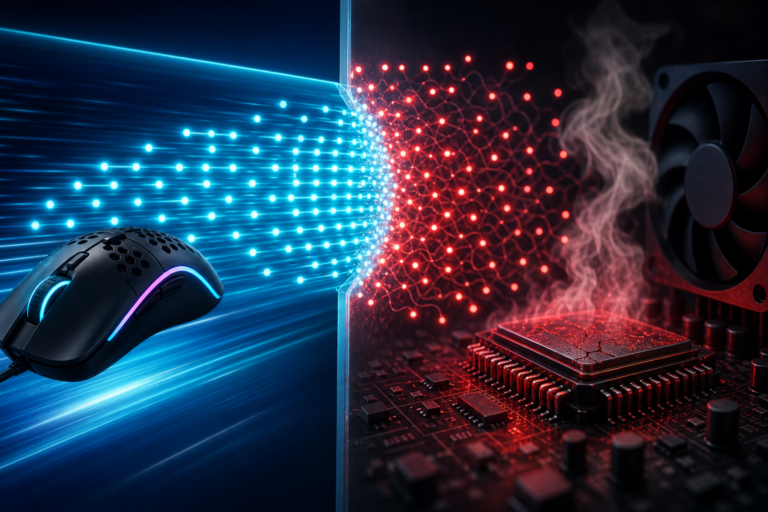
Latency and jitter are the two main enemies of a smooth game. Ping is the number most players watch. It measures the round-trip time for a packet of data. Jitter is the change in that time over a period. If your ping jumps from forty to one hundred, you will see stuttering. This is often caused by a busy router. Routers handle many tasks at once. They manage web browsing, video streaming, and smart home tools. When these tasks fight for space, gaming packets may wait in a queue. This wait creates the lag that players hate. To solve this, we must give gaming data a clear path. This starts with how your device connects to the network.
The Priority of Physical Connections
The most effective way to lower latency is to stop using wireless signals. Wi-Fi is prone to many forms of interference. Radio waves from other devices can slow down your speed. Walls and floors also block these signals. For a serious gamer, an Ethernet cable is the best tool. A wired connection provides a stable and direct path for data. It removes the need for the router to encode and decode wireless signals. This leads to a more consistent ping and zero packet loss. In a professional setting, a wired link is the standard. It is the first step in any network optimization plan.
Selecting the Right Ethernet Cable
Not all cables are the same. You should use a cable that can handle high speeds. A Cat6 or Cat6a cable is the best choice for modern homes. These cables have better shielding than the older Cat5 type. Shielding helps to stop crosstalk between wires. This keeps your signal clean. If you use an old cable, you might see slower speeds. A clean signal means the router does not have to resend data. This keeps your latency low and your game running well. It is a simple hardware fix that offers a big reward. You should check your cables once a year for any signs of wear or damage.
Managing Wireless Frequency and Channels
If you must use Wi-Fi, you need to pick the right frequency. Most modern routers use two main bands. These are the 2.4 gigahertz and the 5 gigahertz bands. The 2.4 gigahertz band is good for long distances. However, it is very crowded. Many home tools like ovens and phones use this band. This causes a lot of noise. The 5 gigahertz band is much faster. It has more space for data and less noise. For gaming, always choose the 5 gigahertz band. It offers a shorter range but a much better speed. Newer routers also have a 6 gigahertz band. This is part of the Wi-Fi 6E standard. It is the best option for low lag if your device supports it.
Manual Channel Selection
Routers often pick a channel on their own. In a busy city, many routers might pick the same one. This leads to congestion. You can manually set your router to a clear channel. Use a network tool to see which channels are busy in your area. Look for a channel with no other users. By moving your data to a quiet space, you reduce the chance of collisions. This makes your connection more reliable. This small tweak can reduce jitter by a large amount. It is a pro move for any player who cannot use a wire. Keeping your wireless space clean is key to a fast response time.
Quality of Service and Traffic Control
Quality of Service, or QoS, is a vital router feature. It allows you to tell the router which data is most important. In a house with many people, someone might be watching a high-definition movie. This takes up a lot of bandwidth. Without QoS, the router treats all data the same. This means your game data might wait behind a movie file. When you turn on QoS, you can put your gaming PC at the top of the list. The router will then send your game packets first. This ensures that your game stays fast even when others are online. It is one of the most powerful tools for managing a home network.
Setting Up QoS Rules
To set up QoS, you must enter your router settings. Most routers have a simple menu for this. You can list your gaming console by its unique address. Some routers even have a “Gaming Mode” that does this for you. You should also set a limit on your total upload and download speeds. This prevents a single device from taking all the power. Set these limits to about ninety percent of your actual speed. This leaves a small buffer for the router to work with. It prevents a problem called buffer bloat. This setup keeps your ping low even during heavy use. It is a must for any busy household.
Advanced Software Configuration
Your software settings also impact how fast you connect to game servers. One key setting is the Domain Name System, or DNS. A DNS server turns web names into numbers. Most people use the server provided by their internet company. These are often slow and far away. You can change this to a faster service like Cloudflare or Google. While this does not lower your in-game ping directly, it speeds up the initial connection. It also makes the web feel much faster. Switching to a fast DNS is a common practice for tech experts. It ensures your router finds the best path to the server as fast as it can.
Universal Plug and Play and Port Forwarding
Port forwarding is another technical step for low latency. Games need specific “doors” open in your router to talk to servers. Universal Plug and Play, or UPnP, tries to do this for you. However, it can sometimes be slow or fail. Manual port forwarding is a more stable choice. You can find the specific port numbers for your game online. Once you enter them into your router, the data can flow without a check. This reduces the work the router has to do. It also helps to prevent NAT type issues. A “Moderate” or “Strict” NAT can cause lag or chat problems. Port forwarding ensures an “Open” NAT for the best experience.
Router Maintenance and Modern Standards
Keeping your router healthy is just as important as the settings. You should update your firmware once every few months. Firmware is the software that runs the router. Makers release updates to fix bugs and improve speed. An old router might have errors that cause lag. You should also restart your router once a week. This clears the memory and stops small errors from building up. If your router is more than five years old, you may need a new one. Modern routers support Wi-Fi 6 and have faster processors. A fast processor can handle more data without getting hot or slow. Investing in a modern gaming router is a smart move for long-term play.
Conclusion
Optimizing your router is a vital task for any serious gamer. By using a wired connection, you remove the biggest cause of lag. Managing your wireless bands and channels adds more stability. Using tools like QoS ensures that your game data is always first. Advanced tweaks like DNS and port forwarding provide the final layer of speed. A well-tuned network does more than just lower your ping. It provides a smooth and fair environment for play. When your gear works well, you can focus on your skills. Take the time to audit your network today. Your performance in the game will reflect the quality of your connection. Low latency is not just a luxury; it is the foundation of competitive gaming success.
Sources
Cisco Systems. (2020). Quality of Service (QoS) Design Guide. Cisco Press.
Kurose, J. F., & Ross, K. W. (2021). Computer Networking: A Top-Down Approach (8th ed.). Pearson.
Peterson, L. L., & Davie, B. S. (2020). Computer Networks: A Systems Approach. Morgan Kaufmann.
Stallings, W. (2016). Foundations of Modern Networking: SDN, NFV, QoE, IoT, and Cloud. Addison-Wesley.
Tanenbaum, A. S., & Wetherall, D. J. (2011). Computer Networks (5th ed.). Prentice Hall.
Disclaimer: This page contains links that are part of different affiliate programs. If you click and purchase anything through those links, I may earn a small commission at no extra cost to you. Click here for more information.