Mouse switches shape how a mouse feels and how long it lasts. They set the click force, the sound, and the delay between press and input. Today, two designs dominate: mechanical and optical. Each has clear strengths and limits. This article explains how they work, how they differ, and how to choose for your tasks.
What a mouse switch does
A mouse switch is a small trigger under each main button. When you press, it closes a circuit and sends a click signal to the mouse controller. The switch also sets key traits such as actuation force, travel, bounce, and reset point. These traits affect speed, comfort, and error rate.
Switch quality matters because mouse buttons are used a lot. Office users may click thousands of times per day. Many games demand fast double clicks, rapid bursts, or long holds. A good switch keeps its feel over time and stays stable across many presses.
Mechanical mouse switches
How they work
Mechanical switches use a metal leaf and a moving plunger. When pressed, the leaf snaps to make contact and complete the circuit. This design is simple and has been used for decades. It offers a crisp tactile event that many users can feel and hear.
Strengths
Mechanical switches offer a wide range of click feels. Brands and models differ in force, sound, and sharpness. This makes it easier to match a switch to hand strength and preference. They are also common, which helps with price and availability, and they are often easy to replace in modding projects.
In many mice, a well-tuned mechanical switch provides clear feedback. That feedback can support accurate single clicks in desktop work and in games where timing matters. Some users value the distinct “break” point because it helps them avoid half presses.
Limits
Mechanical contacts can wear due to friction and tiny electrical arcs. As wear grows, the click can become softer, louder, or less even. Another issue is contact bounce. When the metal leaf closes, it can vibrate and create several rapid signals. Mice reduce this effect with debounce delay in firmware, but that can add a small input delay.
Mechanical switches can also develop double-click issues over time. This often comes from wear, contamination, or changes in spring tension. Not every unit fails, but the mode is well known in high-use settings.
Optical mouse switches
How they work
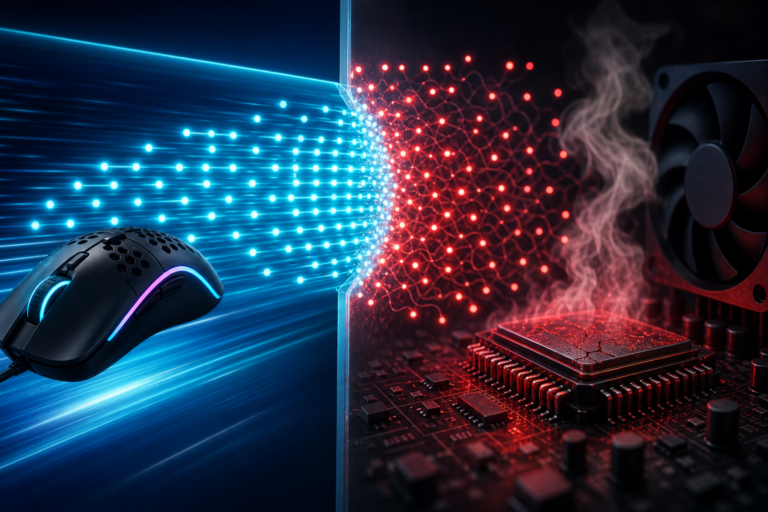
Optical switches do not rely on metal contacts to register a click. Instead, a press moves a part that blocks or allows a light beam, often between an emitter and a sensor. When the beam state changes, the mouse reads the click. The mechanical motion is still there, but the electrical contact step is replaced by light sensing.
Strengths
Optical switches avoid electrical contact bounce, so they may need less debounce filtering. This can reduce click latency in some designs. They also reduce wear tied to metal contact degradation. As a result, optical switches can stay stable across heavy use, especially in fast clicking games.
Optical designs can also handle dust and oxidation better at the sensing point, since the signal is not created by two metal surfaces touching. The click feel still depends on springs and plastics, but the signal path is less sensitive to contact condition.
Limits
Optical switches do not guarantee a better feel. Many users find that some optical implementations feel hollow, stiff, or less crisp than their favorite mechanical switches. The design is also less standardized. Replacement parts may be harder to source, and modding can be more limited.
In addition, optical switches can vary across brands because each maker may use different geometry and sensors. Two “optical” mice can feel very different. For buyers, this means reviews and hands-on testing matter more than the label alone.
Mechanical vs. optical: key comparisons
For speed, optical switches can have an edge because they can reduce or simplify debounce handling. Yet total click latency also depends on the mouse firmware, USB polling rate, and internal processing. For most users, the difference is small, but competitive players may care.
For durability, optical switches often resist double-click faults linked to contact wear. Mechanical switches can still last a long time, especially in high-quality models, but the risk profile differs. For feel, mechanical switches offer the widest variety and a more familiar “snap” in many cases. Optical feel ranges from excellent to mediocre, based on the specific design.
For sound, both types can be quiet or loud, but mechanical switches tend to produce a sharper click. Optical switches may have a duller sound if the internal parts dampen motion. For cost, mechanical switches are often cheaper and appear in more price tiers.
How to choose the best switch for your use
For office work and general use, prioritize comfort and consistency. A medium-force mechanical switch is often a safe choice, since it balances feedback and fatigue. If you dislike sharp clicks, look for mice marketed as quiet, regardless of switch type, since shell design and dampers matter.
For competitive gaming, optical switches can be attractive for low-latency designs and long-term stability in rapid clicking. Still, pick a mouse with a click feel you trust, because control errors cost more than a few milliseconds. For users worried about double-click issues, optical switches reduce that specific risk.
When possible, test the mouse. If you cannot, compare actuation force, stated switch type, warranty length, and reports of long-term reliability. The best switch is not only fast or durable. It is the one that stays consistent, fits your hand, and supports your click habits over time.
Disclaimer: This page contains links that are part of different affiliate programs. If you click and purchase anything through those links, I may earn a small commission at no extra cost to you. Click here for more information.