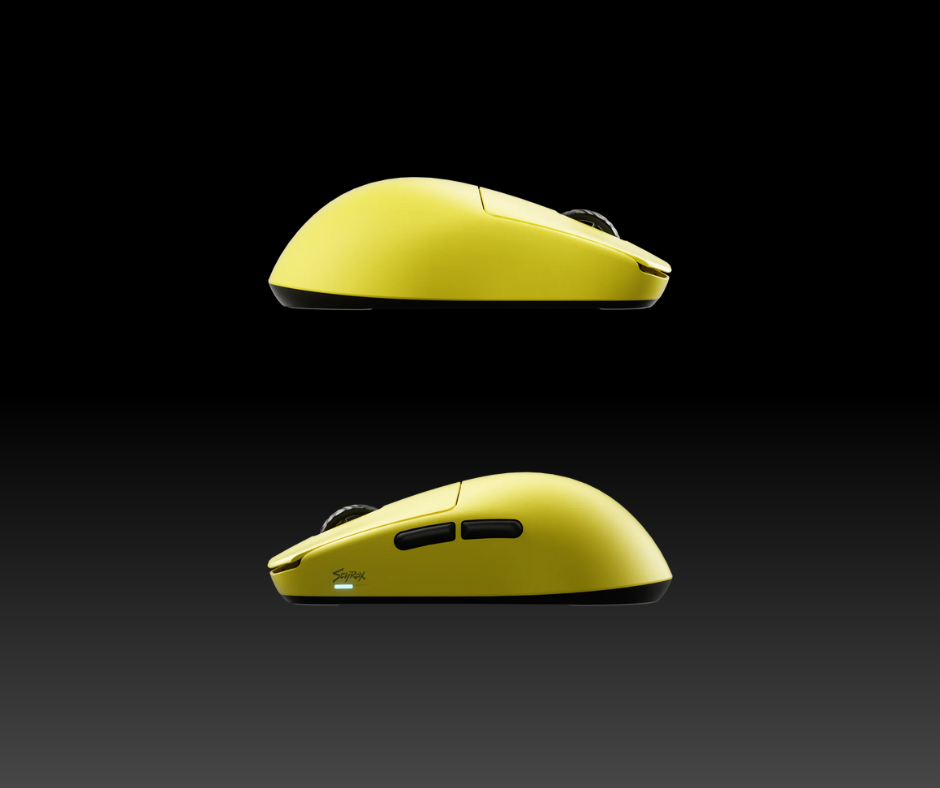
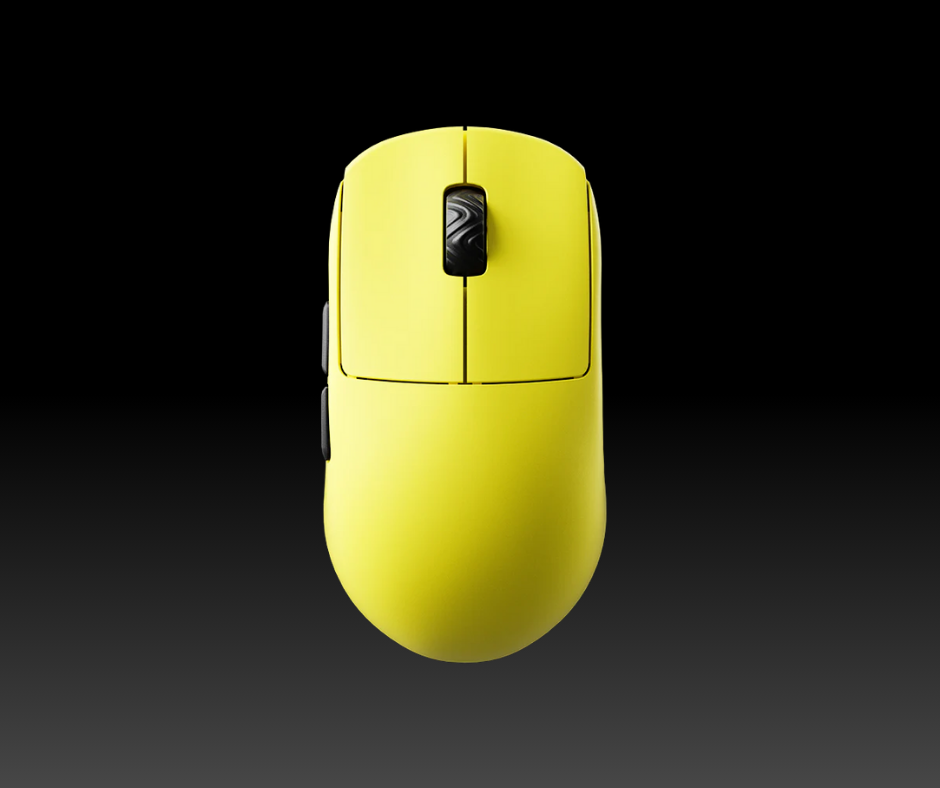
The Scyrox V8 enters the ultra-lightweight wireless gaming mouse arena with a feathery 40.2g frame, aiming to deliver high-end performance in a compact form. With its symmetrical design and aggressive rear hump, the V8 caters specifically to claw grip users and those with small to medium-sized hands. The rear hump is more pronounced than on similar models, giving extra support to the palm without compromising maneuverability. This structural choice may not appeal to users who prefer palm or fingertip grip styles, particularly those with larger hands who may find the mouse too compact.
Build quality is another standout feature. The V8 sports a soft matte finish that feels premium to the touch, while the body is impressively sturdy for such a lightweight device. There’s minimal flex, no creaking, and the buttons are pleasantly quiet. Every element of the chassis feels intentional and tailored for fast-paced, high-precision gameplay.
The mouse also comes with a minimalistic aesthetic that doesn’t scream “gamer,” which is a welcome touch for players who want performance without the RGB overkill. The build is clearly focused on ergonomics and competitive function rather than flash. Scyrox delivers a mouse that is not only visually appealing but also engineered for the rigors of FPS gameplay.
In summary, the Scyrox V8 is a thoughtfully designed tool built for serious gamers who value lightweight gear, clean lines, and ergonomic performance.
Performance
Under the hood, the Scyrox V8 boasts the PixArt PAW3950 sensor, one of the most advanced optical sensors available today. It supports up to an 8000Hz polling rate, something only found in the highest tier of gaming mice. This allows the V8 to deliver incredibly low latency—Rtings measured click latency at just 1.3 milliseconds, which is among the best in the industry. Whether you’re lining up a headshot in Valorant or micro-managing units in Starcraft II, the V8 reacts as fast as your reflexes.
Tracking performance is stellar, with minimal CPI error (less than 0.4%), and no signs of acceleration or jitter, even during rapid flick shots. The mouse’s lightweight frame contributes to this by reducing hand fatigue and increasing control in extended play sessions. Combine this with high-quality skates and a paracord-like cable, and you get buttery-smooth glide performance both wired and wirelessly.
When benchmarked against premium gaming mice such as the Logitech G Pro X Superlight 2 and Razer Viper V3 Pro, the Scyrox V8 holds its own. Its ultra-lightweight body and exceptional raw performance make it a strong competitor at a typically lower price point. It’s a mouse engineered for competitive gamers who demand the best in responsiveness and control.
In short, the Scyrox V8 doesn’t just perform well for its price—it performs well, period. It’s proof that you don’t need to spend a fortune to get top-tier FPS accuracy and responsiveness.
Control & Features
The Scyrox V8 may keep its aesthetics minimal, but it offers a robust set of control features tailored to competitive gamers. It includes six programmable buttons, featuring optical Omron switches for the primary clicks. These switches not only offer a crisp actuation feel but also eliminate debounce delay, contributing to the mouse’s lightning-fast response time.
The scroll wheel is textured and tactile, offering defined notches for accurate scrolling. However, it lacks tilt inputs and a free-spin mode, which may limit its utility for productivity tasks or MMO-style games that benefit from additional input methods. That said, the wheel serves FPS and MOBA gamers well, where precision scroll control is more crucial than functionality overload.
Software-wise, the V8 uses a browser-based configuration tool called S-Center, compatible with both Windows and macOS. Here, users can adjust DPI levels, polling rates, macros, and create profiles. While the interface is intuitive, a significant downside is the standalone software updater, which some antivirus programs flagged as malware (specifically, the Wacatac Trojan). This is a major concern, especially for less tech-savvy users who may be unfamiliar with managing security exceptions.
Still, once configured, the V8 performs flawlessly. The ability to save profiles and adjust settings on the fly makes it versatile for players who switch between games or share their setup with others. The mouse includes onboard memory to retain custom settings, an essential feature for tournament-ready gear.
Overall, the Scyrox V8 offers a compelling suite of control options and customization features, albeit with a few caveats around software safety.
Connectivity & Ergonomics
Connectivity is straightforward but effective. The Scyrox V8 operates exclusively via a 2.4GHz wireless USB receiver—there’s no Bluetooth or multi-device pairing. While this might be a deal-breaker for casual users or those seeking a multi-purpose mouse, it reinforces the V8’s focus on serious, latency-free gaming. The USB-C charging cable doubles as a wired connection and feels premium, matching the rest of the mouse’s minimalist quality.
The mouse includes two sets of 100% PTFE feet (small and large), which provide excellent glide performance. Whether you prefer a looser or more planted feel, the included options give you the flexibility to fine-tune your mouse experience right out of the box. Glide is smooth on a variety of surfaces, including cloth and hard mousepads.
As for ergonomics, the compact frame and pronounced rear hump make the V8 an ideal choice for claw grip users. Small to medium-sized hands will feel most comfortable, particularly during high-speed flicks and tight angle adjustments. Fingertip grip users may find the rear hump slightly obstructive, while palm grippers—especially those with larger hands—may struggle to get a comfortable hold.
One useful but subtle addition is an automatic power-off feature to conserve battery when not in use, along with a discreet LED indicator for battery and DPI status. These small touches reinforce the V8’s identity as a performance-first device that still respects user convenience.
All in all, the Scyrox V8 delivers excellent ergonomic performance and functional wireless connectivity in a no-nonsense package.
Comparisons & Final Verdict
When compared to other top-tier mice, the Scyrox V8 impresses with both its raw performance and thoughtful design. Against its sibling, the Scyrox V6, the V8 sports a higher rear hump and slightly different internal configuration—both mice perform similarly, but the V8 is more tuned for claw grip players, while the V6 caters more broadly to palm grip users.
In direct competition with mice like the Hitscan Hyperlight, Logitech G Pro X Superlight 2, and Endgame Gear XM2w, the V8 excels in weight and performance. It is significantly lighter than most of its peers, and despite lacking features like Bluetooth or tilt scrolling, it manages to outperform or match them in crucial gaming metrics like latency, tracking precision, and click responsiveness. While the XM2w might have a slight edge in click feel, the V8 is hard to beat in terms of value.
The biggest downside remains the software update process, which has raised legitimate security concerns. Additionally, the lack of additional buttons, tilt scroll, and Bluetooth may limit the V8’s appeal to MMO or productivity users. However, for FPS and MOBA players, those exclusions are easily forgivable.
The Scyrox V8 is a high-performance, ultra-lightweight gaming mouse that punches well above its price class. It’s a near-perfect option for claw grip players who want low-latency, high-precision control without paying the premium of big-name brands. If you’re in the market for a top-tier FPS mouse and are comfortable avoiding the optional updater software, the V8 is a compelling choice.
Disclaimer: This page contains links that are part of different affiliate programs. If you click and purchase anything through those links, I may earn a small commission at no extra cost to you. Click here for more information.